
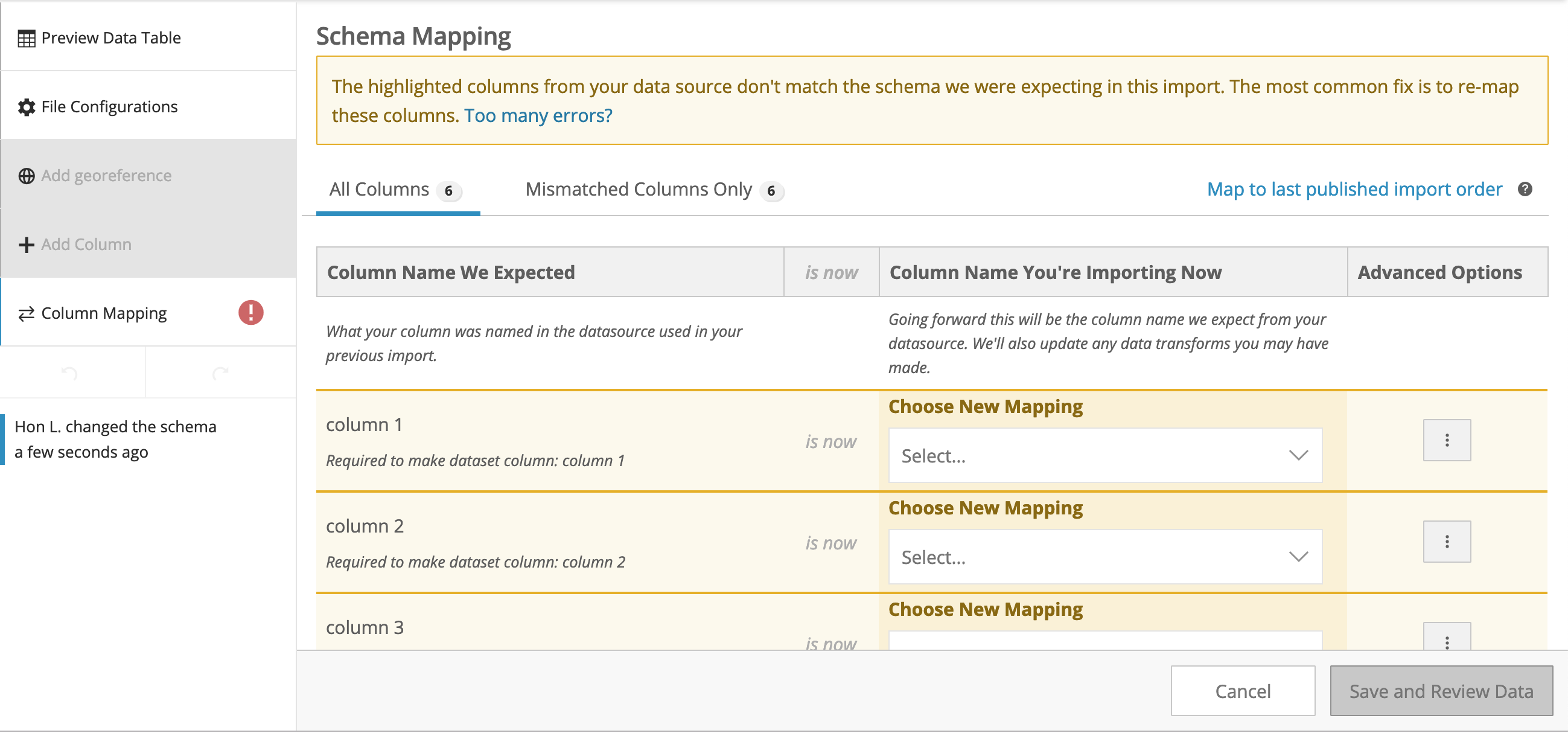
When making data updates, you may encounter column mismatch errors which are now handled with the Schema Mapping tool.
Mapping Columns with Selector
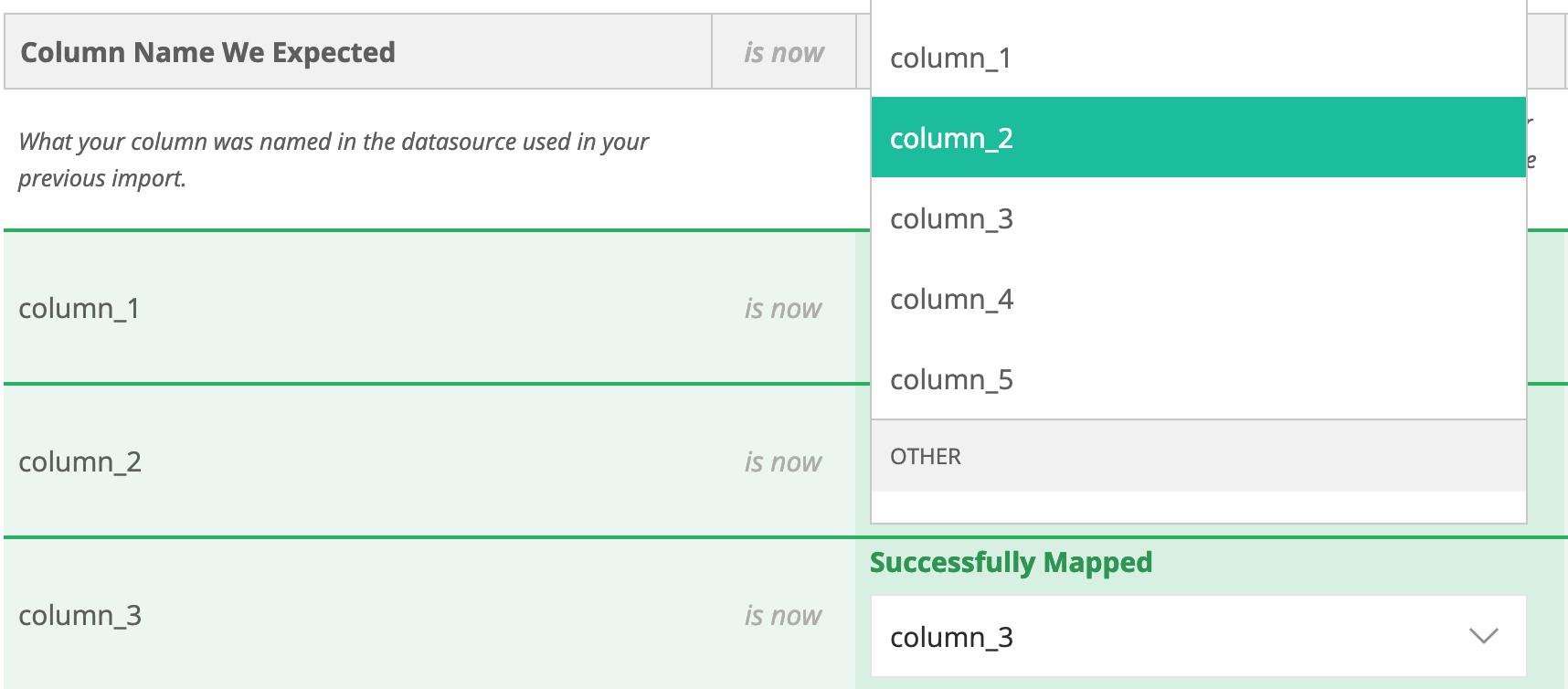
From this tool, you can use the New Mapping dropdown menu to select the source file column that will be mapped to the published data.
Mapping Columns with Data Transforms
If the published dataset has a column that is created through transforms, such as a synthetic location column. The kabob menu next to the source file column selector will allow for specifying a transform to create the column mapping.

Saving Column Mapping Changes
Once all columns have been mapped, the tool will unlock the option to Save and Review Data.
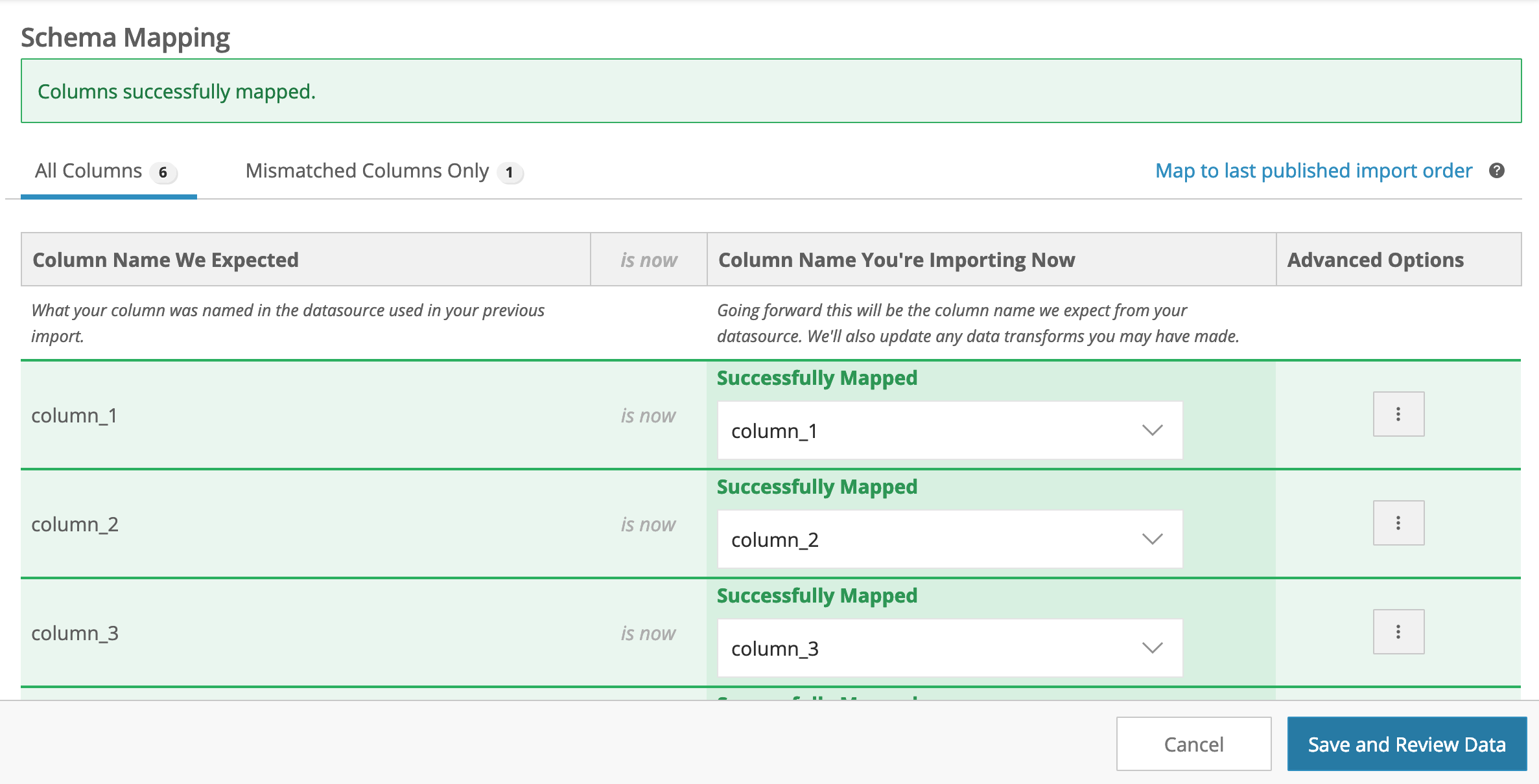
After saving, the publishing tool will redirect to the data table preview where you can review the data that is now mapped to their appropriate columns!
Comments
Article is closed for comments.